



Sprunki OC V3 Make Weird Beats Right in Your Browser
Play Sprunki OC V3 instantly in your browser - No download required!
Share Sprunki OC V3 with Friends!
Tweet about Sprunki OC V3, a fun Sprunki game!
Discover More Sprunki OC V3

Sprunki Kick the Buddy but with Mr. Sun

Sprunki Kick the Buddy but with WENDA
Sprunkful
Incredibox Twittergram
Sprunki Angler Durple
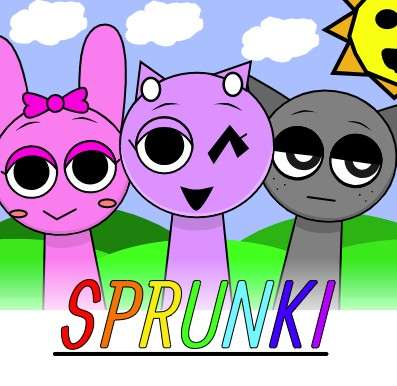
Sprunki OC V3
What's Sprunki OC V3?
Sprunki OC V3 is a fan-made music sandbox from BIZorg that hands you a pile of wacky character loops and says "go nuts." You drag sprites onto the stage, build up layers of beeps, boops, and vocals, and watch a chaotic track take shape in seconds. Think of it as a sketchpad for sound where every weird combination somehow works.
How to Play Sprunki OC V3
Pick your characters
Scroll through the roster and grab whichever sprites catch your eye. Each one carries its own little loop and vibe.
Drop them onto the stage
Drag characters into the lineup to activate them. Stacking different ones layers the sounds into something fuller.
Mix and match the loops
Swap characters in and out to rework the track on the fly. The combo changes the whole mood instantly.
Watch the visual chaos
The animations react to what you drop in, so the screen gets wilder the more layers you add.
Start over any time
Clear the stage with one click and chase a totally different sound without losing momentum.
What Sprunki OC V3 Brings to the Table
Huge character roster
Dozens of OC sprites, each packing a unique loop that ranges from cute chirps to absolute gremlin noises.
Instant layering system
Drop, swap, rearrange — the mixer reacts in real time so you hear changes the second you make them.
Reactive visuals
Every added character animates and reacts, turning your track into a mini music video that grooves with you.
No account nonsense
Skip the signups, the logins, and the email confirmations. Open the page and start cooking beats.
Surprise combos
Random character pairings often produce sounds you genuinely didn't expect, which is half the fun.
Tricks for Sprunki OC V3
Start small, stack loud
Drop in two or three characters first and lock in a vibe before piling on more. Trying to build a full track from scratch in one go usually ends in muddy chaos.
💡A solid bass-style character at the bottom keeps later layers from falling apart.
Use swap to find magic
The fastest way to find a killer combo is replacing one character at a time and listening for what clicks. Random stacking rarely produces a banger on the first pass.
💡Swap the top layer last so you can hear each new addition clearly.
Pair opposites on purpose
Mixing a mellow vocal with a glitchy beat character creates tension that sounds way more interesting than two similar loops.
💡Try one bright sprite and one dark sprite and listen to the contrast.
Reset without panic
Hitting the clear button wipes everything, which feels brutal mid-track. Save your favorite combo mentally before experimenting with wild swaps.
💡Screenshot your best lineup before you go experimenting.
Sprunki OC V3 Questions, Answered
Is Sprunki OC V3 free to play?
Yep, it's totally free in your browser. No payments, no premium tier, no upsells mid-session.
Do I need to download anything?
Nope. It runs straight from the website, so no installer and no extra files eating your storage.
Does it work on school or work networks?
The unblocked version is hosted on sprunkioc.net, so it usually slips past filters that block bigger gaming sites.
Can I play on my phone?
It loads on mobile browsers, though drag-and-drop is way smoother with a mouse or trackpad.
How is this different from regular Sprunki?
OC V3 leans into fan-made characters and weirder, more varied loops, so tracks sound less polished and way more chaotic.
Do I need music experience?
Not at all. There's no sheet music, no theory, no timeline to manage — just drag things in and listen.
Can I save the tracks I make?
Saving isn't built in, so grab your phone and record the screen if you want to keep a creation.
Who made Sprunki OC V3?
BIZorg put it together as part of the broader Sprunki fan scene experimenting with new sounds and characters.
How many characters can I stack at once?
You can load up most of the roster simultaneously, which gets gloriously messy in the best way.
Does it have a multiplayer mode?
It's single-player only, but showing your screen to a friend counts as a feature, honestly.
Why do some combos sound so cursed?
Because the loops are designed to clash in funny ways — the "bad" sounds are kind of the whole point.
Can I share my mixes with others?
There's no built-in sharing, so screenshot clips or screen-record and post them wherever you hang out online.
Jump In Without Installing Anything
Sprunki OC V3 lives entirely in your browser, so there's nothing to download, install, or update. Open the page, drag in a few characters, and you've got a track going within seconds. Bookmark it and your mobile music studio travels with you.
Why Bother With Sprunki OC V3?
Sounds nobody else makes
The OC loops are genuinely original, so your tracks won't sound like every other rhythm game out there.
Zero ramp-up time
First drag, first sound. You're making music before the page fully loads.
Cute, chaotic visuals
Characters bounce and react to your mix, giving the screen real personality as you build.
Surprisingly creative
Layering loops forces you to think like a producer without any of the boring parts of producing.
Play anywhere
Browser-based means laptop, library computer, or that one cousin's old tablet — it just works.