




Wacky Steps A Hilarious Arcade Rhythm Sprint You Can't Stop Playing
Play Wacky Steps instantly in your browser - No download required!
Share Wacky Steps with Friends!
Tweet about Wacky Steps, a fun Action game!
Discover More Wacky Steps
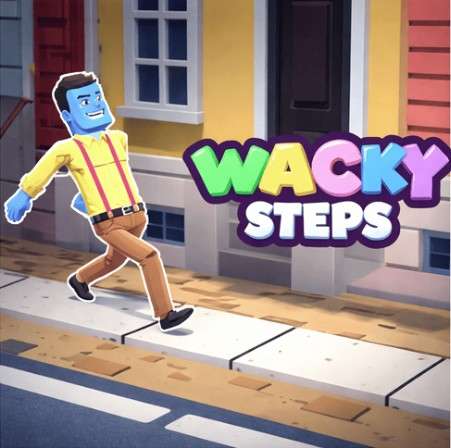
Wacky Steps
Astro Tycoon

Stick Hero RPG
Bow Battle

Lab Havoc

Sky Dart
Iron Snout
What Is Wacky Steps?
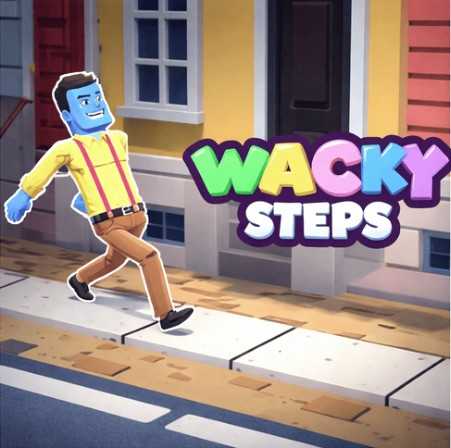
Wacky Steps is a lighthearted arcade game built around one very silly premise: keep moving your character forward without losing the rhythm. It looks goofy, plays fast, and gets sneakily tricky the further you go. Think simple controls, big laughs, and one more try energy that hooks you instantly.
How to Play Wacky Steps
Start Your Run
Hit play and your character immediately starts shuffling forward across the screen. There's no warm-up, no tutorial wall, just instant action.
Time Your Moves
Each step needs to land right or your little runner trips, stumbles, or does something embarrassing. Rhythm matters more than speed.
React to the Beat
The game throws curves at you the longer you survive. Pay attention to the tempo and you'll survive longer.
Survive the Chaos
The further you get, the faster and weirder things become. One wrong move and your run is over in the most ridiculous way possible.
Try Again Immediately
Runs are short, which makes Wacky Steps perfect for quick sessions. You'll almost always want to jump straight back in.
Features That Keep You Stepping
Silly Cartoon Style
Bright colors, goofy animations, and characters that flop around when they mess up. It's charming in a dumb-fun way.
One-Tap Simplicity
You won't need a manual or three weeks of practice. The controls are dumb-simple, which is the whole point.
Rhythm Meets Reflexes
It feels like a music game mixed with a reaction test. You tap with the beat and pray your hands keep up.
Short, Snackable Runs
Perfect for killing five minutes between things. Each attempt lasts just long enough to make you want another go.
Surprise Moments
The game loves throwing in random curveballs that catch you off guard. Even after a few runs, something new usually pops up.
Jump Straight In, No Downloads
Wacky Steps lives right in your browser, so there's nothing to install or update. Open the page, tap play, and you're already stepping. Perfect for quick sessions on any device with a web browser.
Why You Should Play Wacky Steps
It's Genuinely Funny
The animations and flopping characters make failure feel hilarious instead of frustrating.
Pick Up And Play
No tutorials, no menus to dig through. You're in the game within seconds.
Real Skill Involved
It looks goofy but your reflexes and rhythm actually matter if you want a high score.
Perfect For Short Breaks
Runs last under a minute, which makes it ideal for quick brain breaks or waiting around.
Beats Your Friends
Score chasing with friends gets weirdly competitive, even over a game this silly.
Wacky Steps FAQ
Is Wacky Steps free to play?
Yep, it runs straight in your browser with no cost and no sign-up nonsense.
Do I need to download anything?
Nope. Just open the page and start tapping. No installs, no plugins, no waiting around.
Can I play Wacky Steps unblocked at school or work?
If your network allows browser games, you should be good to go. It loads in a normal tab.
What kind of game is Wacky Steps?
It's an arcade skill game with rhythm elements, basically a reaction-tester dressed up in a clown costume.
How hard is Wacky Steps?
What devices can I play it on?
Do I need a keyboard or controller?
A keyboard or tap controls both work. Whatever's easiest for you.
How long is a single run?
Runs are intentionally short, usually under a minute, which is part of why it's so addictive.
Is there a story mode?
Not really. It's a pure arcade loop where you chase a higher score each try.
Can I play with friends?
It's a solo score-chase experience, but nothing stops you from trash-talking while you take turns.
Why does my character keep tripping?
Because your timing is off, plain and simple. Slow down, find the rhythm, then build speed.
Does Wacky Steps have sound?
Yes, and the audio cues actually help with timing. Keep your sound on if you can.
Will my high score save?
That depends on your browser, but most runs will remember your best streak locally.
Is Wacky Steps kid-friendly?
Totally. It's silly, non-violent, and goofy enough for pretty much any age.
Wacky Steps Tricks and Tips
Lock Into the Beat Early
Your first few steps set the tone for the whole run. Focus on rhythm before you try to go fast, because speed without timing equals instant wipeout.
💡 Tap along with the background audio cues until the rhythm feels automatic.
Watch, Don't React Late
A lot of new players react to obstacles a split second too late. Try to read what's coming a step ahead so your input is already ready.
💡 Keep your eyes slightly further up the track instead of right on your character.
Stay Loose, Stay Calm
Tension makes your inputs spiky and sloppy. The chill players tend to last longer because their timing stays smooth under pressure.
💡 Take a breath after a rough run before you jump straight back in.
Learn the Funny Patterns
Wacky Steps loves repeating its silly setups with small twists. Once you recognize a pattern, you'll know exactly when to push and when to hold.
💡 After dying, mentally replay the last few seconds to spot what you missed.