


Obby Roads Online - Race Across Floating Roads in the Sky
Play Obby Roads instantly in your browser - No download required!
Share Obby Roads with Friends!
Tweet about Obby Roads, a fun Trending game!
Discover More Obby Roads
Obby Roads
Ragdoll Flip

Capybara Mart

Your AI Slop Bores Me
Bottle Hop

Horse Magnifier

Brush Jjaemu
The Archives of Trevosa
What Is Obby Roads?
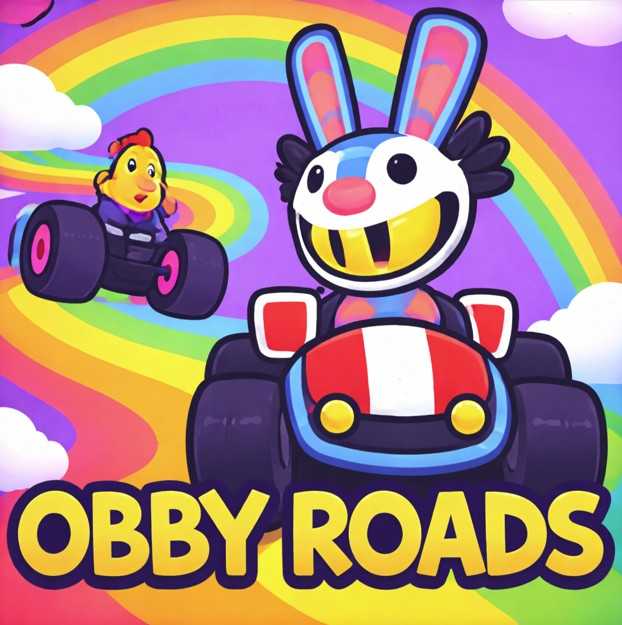
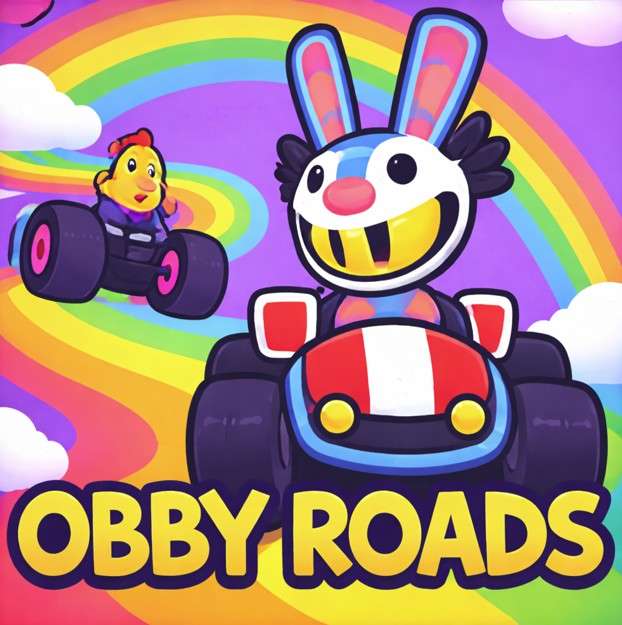
Obby Roads puts a car on a parkour course high above the clouds. You race along floating roads, sizing up obstacles before you get too close to steer around them.
How to Drive the Cloud Course
Start at a Pace You Can Handle
Give yourself room to see how the car responds before you go for speed.
Look for a Way Through
As an obstacle comes into view, spot the open part of the road and steer toward it early.
Leave Room at the Edge
Give yourself a little space between the car and the drop when the road allows it.
Go Faster on Clear Road
Once you can see a clear stretch ahead, pick up the pace and enjoy the easy bit while it lasts.
Why Give Obby Roads a Go?
The View Sells the Height
Seeing clouds below the road makes even a small drift toward the edge feel dramatic.
Clean Dodges Feel Good
Spotting a gap early and slipping through in one smooth move is worth a little victory nod.
Open Road Feels Earned
After threading your way around an obstacle, a clear stretch feels like permission to let the car run.
You Can Feel Yourself Improve
A spot that made you panic-steer on your first try can feel routine once you know where to put the car.
Play Obby Roads in Your Browser
Open Obby Roads on sprunkioc.net and jump straight into the floating course from your browser. There's nothing to install.
What You’ll Find on the Road
Tracks Above the Clouds
The road hangs in open sky, so you can see the drop right beside your driving line.
Parkour From the Driver’s Seat
The route doubles as an obstacle course, with the car doing the dodging.
Fast Changes of Pace
An open stretch gives you room to build speed. The next obstacle can make you rethink that speed in a hurry.
Room to Pick Your Line
Getting around an obstacle starts with spotting where the car will fit and lining up for it.
Small Tricks for Smoother Runs
Aim Past the Obstacle
Fixating on the thing you're trying to dodge makes it easy to miss where the road opens up again.
💡Look at where you want the car to go.
Settle the Car First
Adding speed while you're still steering around something can send you wider than you planned.
💡Straighten out before you speed up.
Fix One Rough Spot
If the same stretch keeps catching you out, changing one thing at a time makes it easier to see what helped.
💡Try lining up earlier on your next run.
Obby Roads FAQ
What kind of racing game is Obby Roads?
It mixes fast driving with obstacle-course parkour on floating roads.
What does obby mean here?
Obby is short for obstacle course. In this one, you work your way through it in a car.
Where does Obby Roads take place?
The roads float high above the clouds.
Can I play Obby Roads online?
Yes, you can play it in your browser on sprunkioc.net.
Do I need to download Obby Roads?
You can start right from the game page without installing anything.
How fast should I drive on my first try?
Go at a pace that gives you time to notice an obstacle and steer around it.
Where should I look as I drive?
Look a little way up the road so you can spot trouble while you still have space to react.
How do I get past a tricky obstacle?
Aim for the open space beside it and keep your steering steady until you're clear.
Why do I keep drifting toward the edge?
A sharp correction can carry you farther sideways than you meant to go. Try a smaller steering adjustment and see where it puts you.
How can I get faster after a few tries?
Pick one stretch you know well and try carrying a little more speed through it.